Preview
Nose surgery preview: how to see a change before you decide
A practical guide to digital nose surgery previews — sample workflow, comparison checklist, and what previews can and cannot show.
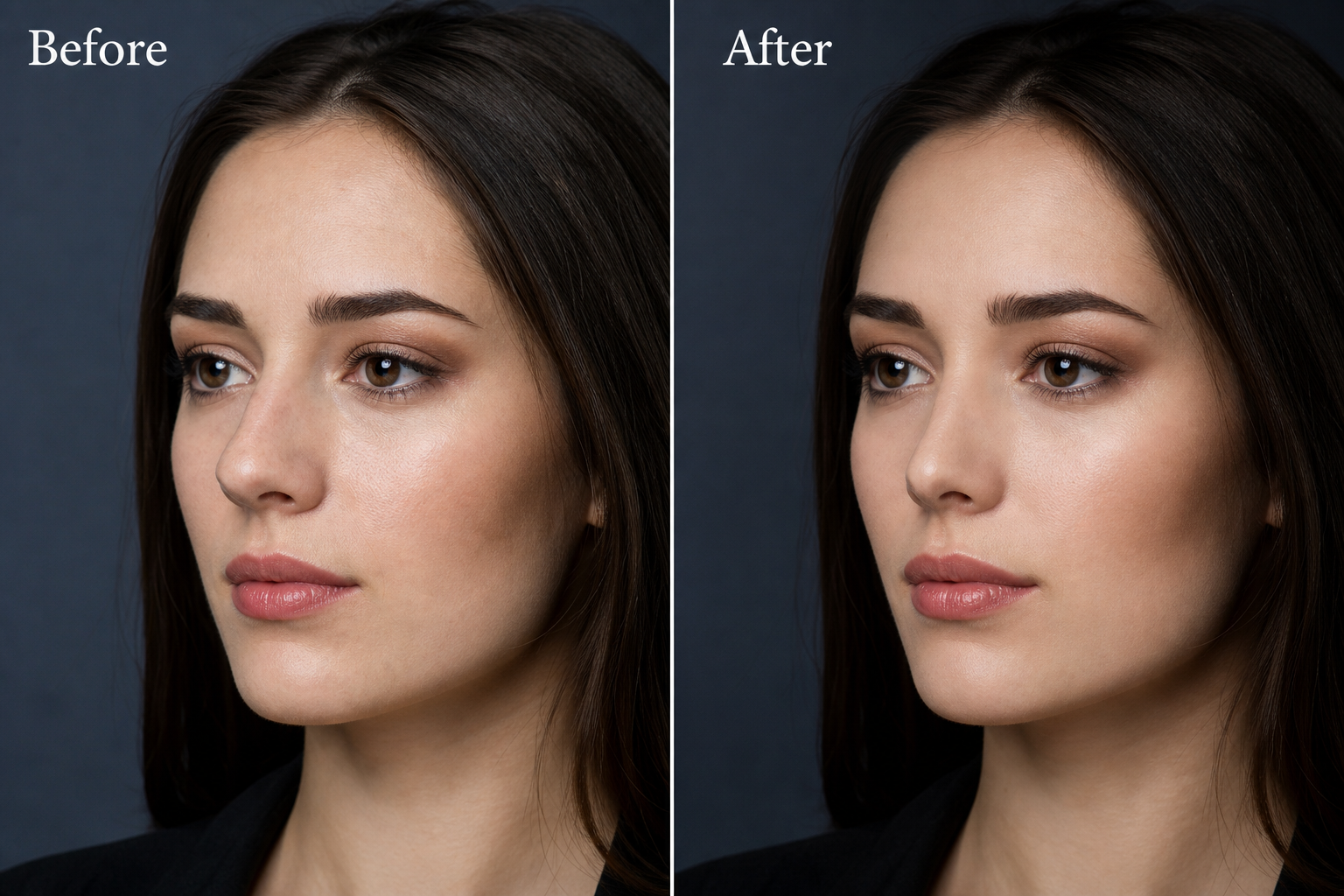
Quick answer: A nose surgery preview is a digital before-and-after on your photo so you can explore tip, bridge, or width changes. Use it to clarify preference — never as a guaranteed surgical result.
Preview one feature at a time before combining edits.
Save a conservative option and a slightly stronger option.
Talk in preferences: “closer to me,” not “operate like this.”
Sample preview session (15 minutes)
| Step | Action | What to save |
|---|---|---|
| 1 | Capture front photo in soft light | Base portrait |
| 2 | Capture true left profile | Profile base |
| 3 | Preview bridge-only (low strength) | Bridge A |
| 4 | Reset; preview tip-only | Tip A |
| 5 | Compare A options side by side | Top 2 favorites |
| 6 | Write one sentence under each | Preference notes |
Sample preference sentences
- “Bridge A feels smoother but still like me.”
- “Tip A looks softer in front photos.”
- “Stronger edits feel like a different person — skip those.”
What previews cannot promise
- Exact surgical outcomes
- Healing timelines
- What is anatomically possible for every face
Nose Shape is for private previews and clearer conversations — not a surgical plan.
FAQ
Is a preview a surgical plan?
No. Previews are visual concepts for preference. Only a qualified professional can discuss suitability.
Should I preview extreme changes?
Start conservative. Extreme edits are harder to discuss and often feel less like you.